Export iMessages and SMS conversations as HTML

A couple of years ago, I explained how to get instant message conversations exported out of iChat as HTML files. Now it’s 2016, and Messages has replaced iChat, and iMessages have replaced all interpersonal communication. So how do you get HTML transcripts of your iMessages and text messages? Here’s how: with my new OSX Messages Exporter script.

The script exports all of your text/iMessage conversations from Messages (including group chats) and generates HTML files for each conversation. Here’s a screenshot of the HTML file generated for a iMessage conversation between me and my brother:
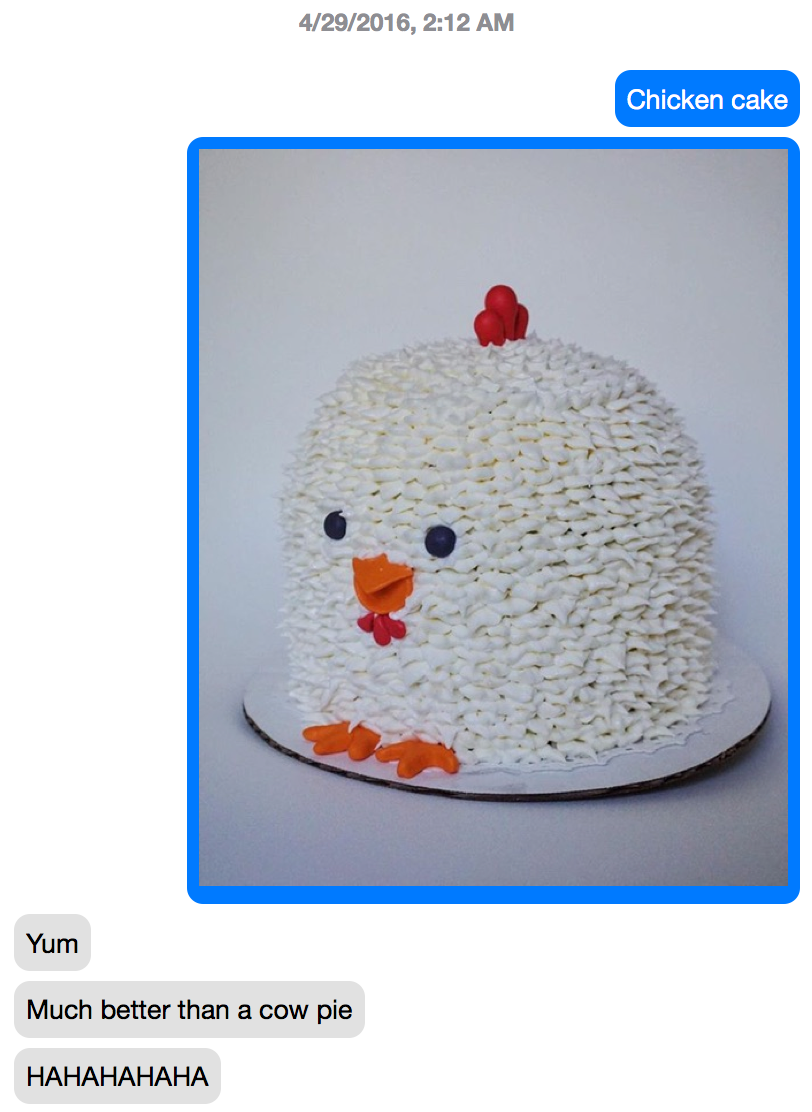
Screen Shot 2016-06-20 at 10.15.35 PM

And here’s what a group conversation looks like:
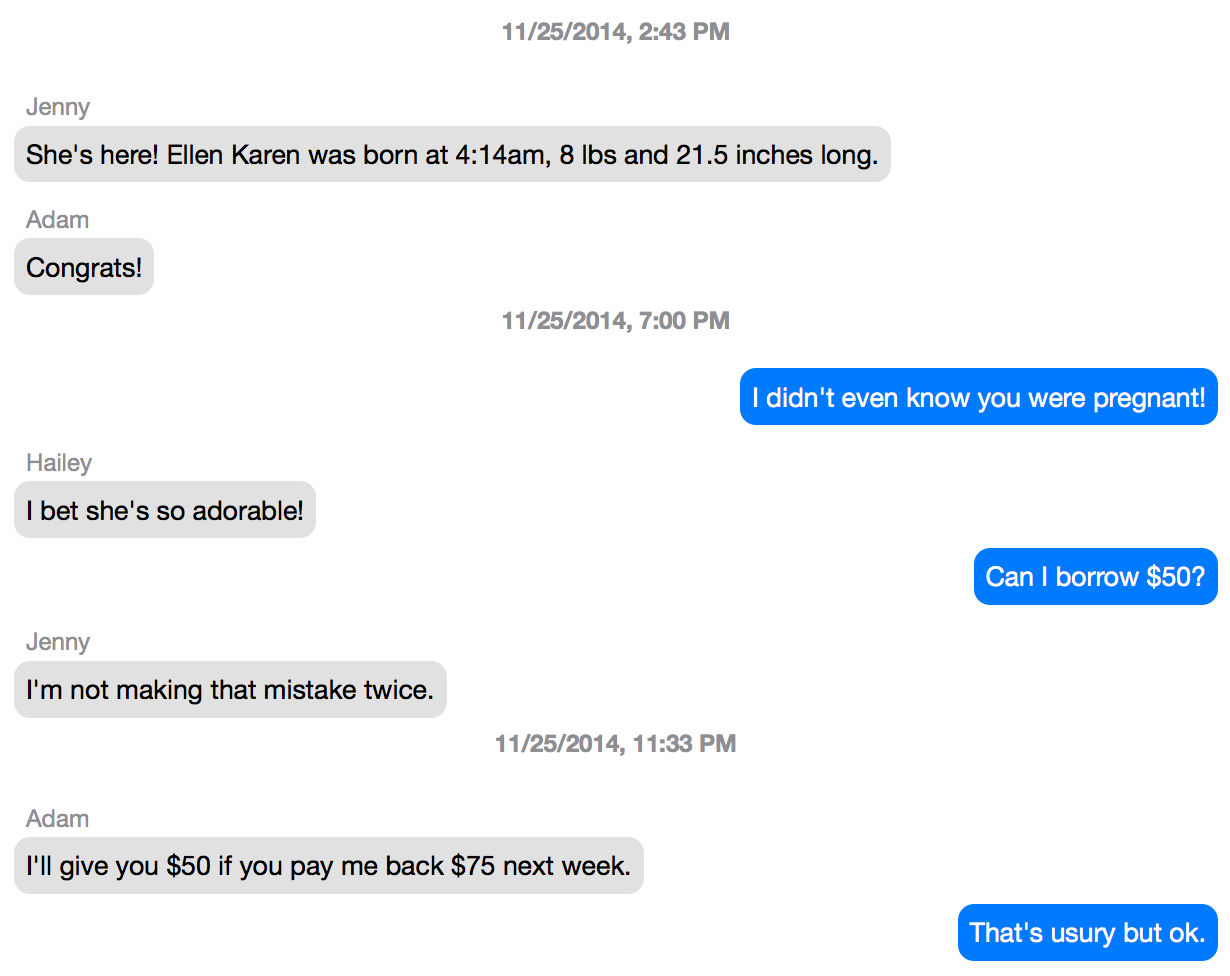
Screen Shot 2016-06-20 at 10.22.55 PM

(For a look at the actual HTML, see the example.html file in the repository.)

I’ll admit that there are a number of existing solutions for exporting conversations out of Messages, but mine has some distinct advantages over them:

  1. It supports group conversations.
  2. It generates human- and machine-readable HTML.
  3. It saves all attachments.
  4. It uses contacts’ names, not just their phone numbers.
  5. I wrote it.

If you want to give it a spin, download it from GitHub and run

./messages-exporter.php --help

from the command line for the current usage instructions.


Posted

in

,

by

Tags:

Comments

14 responses to “Export iMessages and SMS conversations as HTML”

  1. jlo Avatar
    jlo

    Maybe fix the link to your repo :D Script works great, thanks! :)

  2. ABC Avatar
    ABC

    Hi there, I don’t know what I am doing wrong, but I get the following error:

    Fatal error: Uncaught Exception: Unable to open database: unable to open database file in /path/to/folder

    1. ABC Avatar
      ABC

      On MacOS Big Sur. I just extracted all and ran ./messages-exporter.php as I don’t need to export to a different folder, so all default settings are fine. Thanks!

      1. ABC Avatar
        ABC

        One more question! I managed to get it to work by specifying the output location using -o and the chat.db location using -d but now it doesn’t extract and include the attachments/photos in the html output files? It says [File unavailable: ~/Library/Messages/Attachments/location/here

        1. Christopher Finke Avatar

          How old are the messages that would have contained the photos? I see that same issue sometimes, but I haven’t figured out yet why it can’t find those files.

          1. ABC Avatar
            ABC

            Thanks for the reply. Its actually like that in all the html files so it doesn’t seem an issue for old messages. I took the time to read through your readme and it said “Note that when using this option, attachments will not be saved, since the assumption is that the paths to the files are from another machine.” So I’m guessing that what happened.

            But when I try to run it with the default settings, e.g. ./messages-exporter.php -o or ./messages-exporter.php then it throws me that error: Fatal error: Uncaught Exception: Unable to open database: unable to open database file in /path/to/folder Any idea why the default settings are not working? My messages folder and chatdb is in the usual /Users/Account/Library/Messages/chat.db

            Alternatively is there a way for me to specify to include the attachments? E.g. if I have copied the entire Messages folder not just chat.db including the attachments then it could generate from there?

            1. Christopher Finke Avatar

              > Any idea why the default settings are not working?

              Is it possible that your $_SERVER[‘HOME’] is somehow not set to your home directory? You could test this by adding this line after line 195:

              echo $chat_db_path;

              to see what file it’s trying to open.

              > Alternatively is there a way for me to specify to include the attachments? E.g. if I have copied the entire Messages folder not just chat.db including the attachments then it could generate from there?

              Not all attachments are stored in the Messages folder, but you could change line 426 from this:

              if ( ! empty( $options[‘d’] ) ) {

              to this:

              if ( false ) {

              to just force it to try to get the attachment.

              1. ABC Avatar
                ABC

                So when I put in the echo on line 195, I get /Users/username/Library/Messages/chat.db so it seems it is using the correct location?

                When I replaced line 426 with false as per your suggestion I get:
                Warning: copy(/Users/username/Library/Messages/Attachments/a6/06/numbers_here/IMG_0123.JPG): failed to open stream: Operation not permitted in /Users/username/Downloads/OSX-Messages-Exporter-master/messages-exporter.php on line 586

                Any other thoughts on how I can get this to work? It is able to get the text but not the images somehow

                Thanks!

                1. Christopher Finke Avatar

                  It sounds like Terminal doesn’t have Full Disk Access. See the Caveats section of the README here:

                  https://github.com/cfinke/OSX-Messages-Exporter#caveats

                  If you’re running it directly in Terminal, you will need to give Terminal FDA:

                  https://www.quora.com/Terminal-Command-line-how-do-I-give-full-disk-access-to-the-terminal-app-from-command-line

  3. Helen Madia Avatar
    Helen Madia

    Can u just get texts or does it works for e-mails sent or received?

    1. Christopher Finke Avatar

      It’s just for texts.

  4. Omar Avatar
    Omar

    This is wonderful, I really like how the messages are rendered on html files, but I encountered the problem of threads (when one replies to specific messages) aren’t supported. Supporting these would be absolutely amazing. I did find another implementation that does support threads, but the rendering isn’t as great (see: https://github.com/ReagentX/imessage-exporter)

    1. Christopher Avatar
      Christopher

      Hi, developer of `imessage-exporter` here. I think the HTML exports are pretty good, they mimic the look of the Messages app 1:1. If you have any suggestions please open an issue on GitHub.

Leave a Reply

Your email address will not be published. Required fields are marked *

Google+