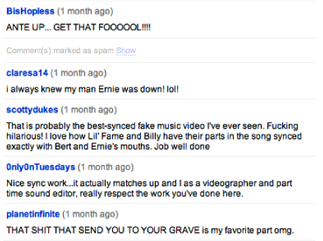
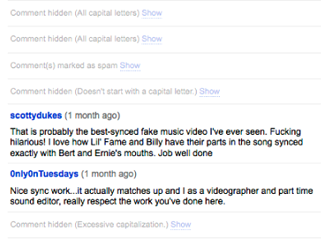
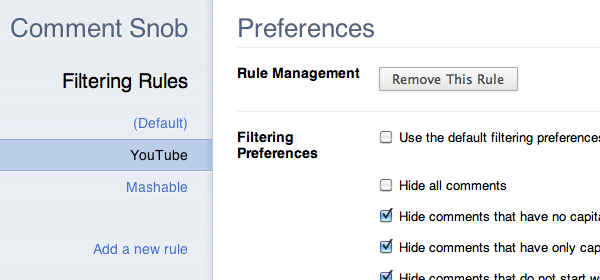
When I first ported YouTube Comment Snob to Chrome, Chrome’s lack of a spellchecking API for extensions meant that I would be unable to implement Comment Snob’s most popular and distinguishing feature: the ability to filter out comments based on spelling mistakes. That, my friend, is about to change.
I’ve finished work on the first version of a client-side spellchecker written entirely in JavaScript, and I’m calling it Typo.js. Its express purpose is to allow Chrome extensions to perform spellchecking, although there’s no reason it wouldn’t work in other JavaScript environments. (Don’t use it for Firefox extensions though; use Firefox’s native spellchecking API.)
How does it work?
Typo.js uses Hunspell-style dictionaries – the same ones used in the spellcheckers of OpenOffice.org and Firefox. (Typo.js ships with the latest American English dictionary, but you could add any number of other dictionary files to it yourself.) You initialize a Typo.js instance in one of two ways:
Method #1
var dictionary = new Typo("en_US");
This tells Typo.js to load the dictionary represented by two files in the dictionaries/en_US/ directory: en_US.aff and en_US.dic. The .aff file is an affix file: a list of rules for creating multiple forms of a word by adding prefixes and suffixes. The .dic file is the dictionary file: a list of root words and the affix rules that apply to them. Typo parses these files and generates a complete dictionary by applying the applicable affix rules to the list of root words.
Method #2
var dictionary = new Typo("en_US", affData, dicData);
With this initialization method, you supply the data from the affix and dictionary files. This method is preferable if you wish to change the location of the affix and dictionary files or if you are using Typo.js in an environment other than a Chrome extension, such as in a webpage or in a server-side JavaScript environment.
Once you’ve initialized a Typo instance, you can use it to check whether a word is misspelled:
var is_correct_spelling = dictionary.check("mispelled");
Customization
Depending on your needs, you can configure Typo.js to perform word lookups in one of two ways:
- hash: Stores the dictionary words as the keys of a hash and does a key existence check to determine whether a word is spelled correctly. Lookups are very fast, but this method uses more memory.
- binary search: Concatenates dictionary words of identical length into sets of long strings and uses binary search in these strings to check whether a word exists in the dictionary. It uses less memory than the hash implementation, but lookups are slower. This method was abandoned as it became impractical to implement for some features.
See this blog post by John Resig for a more detailed exploration of possible dictionary representations in JavaScript.
Practice vs. Theory
Typo.js is already in use in my Comment Snob extension. You can install it today to experience Typo.js in action, filtering comments on YouTube based on the number of spelling mistakes in each one.
What’s next for Typo.js?
The next step is adding support for returning spelling suggestions; right now, all Typo.js can do is tell you whether a word is spelled correctly or not. It also needs to support Hunspell’s compound word rules. These are the rules that a spellchecker uses to determine whether words like “100th”, “101st”, “102th” are correct spellings (yes, yes, and no, for those of you keeping track) since it would be impossible to precompute a list of all possible words of these forms.
The Typo.js code is available on GitHub. I welcome any and all suggestions or code contributions.